Overview
The
Date Range
setting now has a smarter counting mode across Calendars, Services, and Rentals. A new Count available days only toggle lets businesses ensure their booking window reflects real working days — not calendar days that include weekends or days they're closed.What's New?
Count Available Days Only Toggle
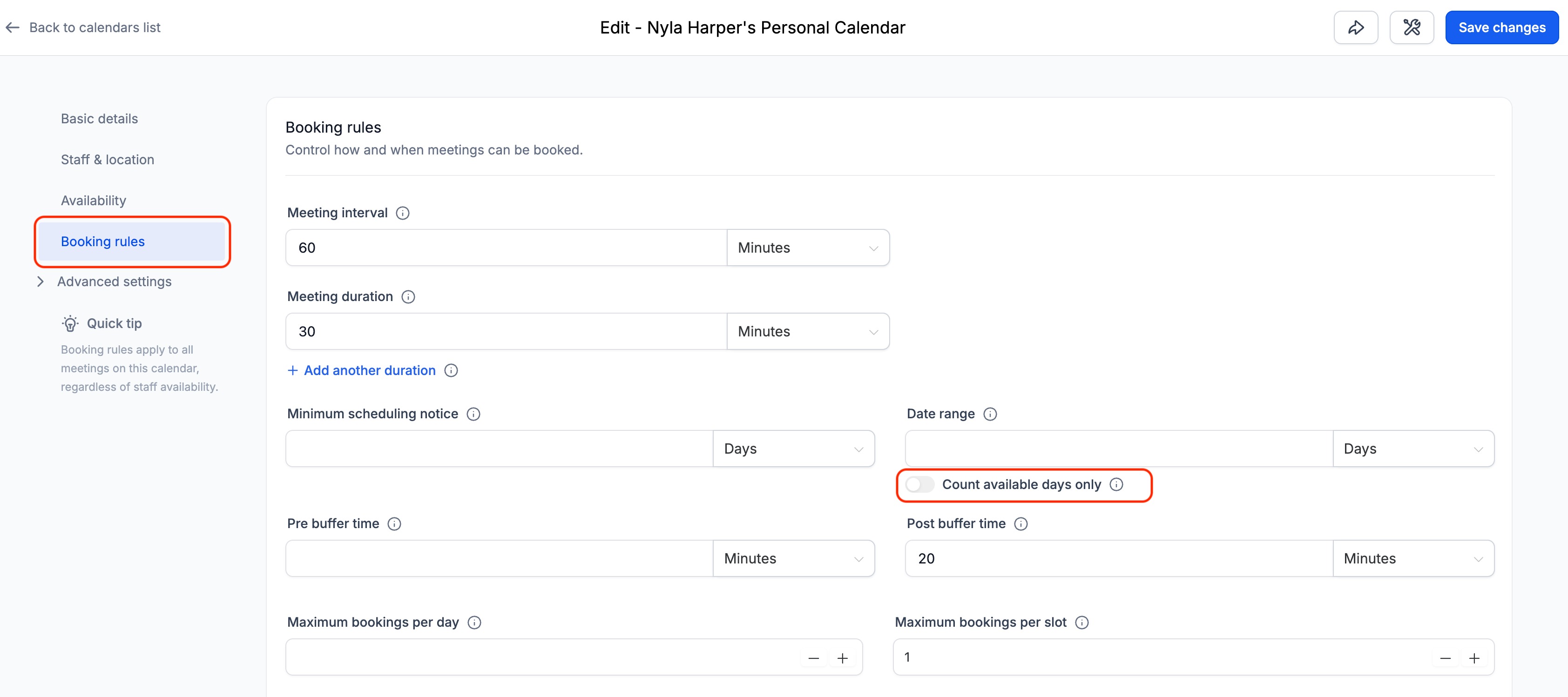
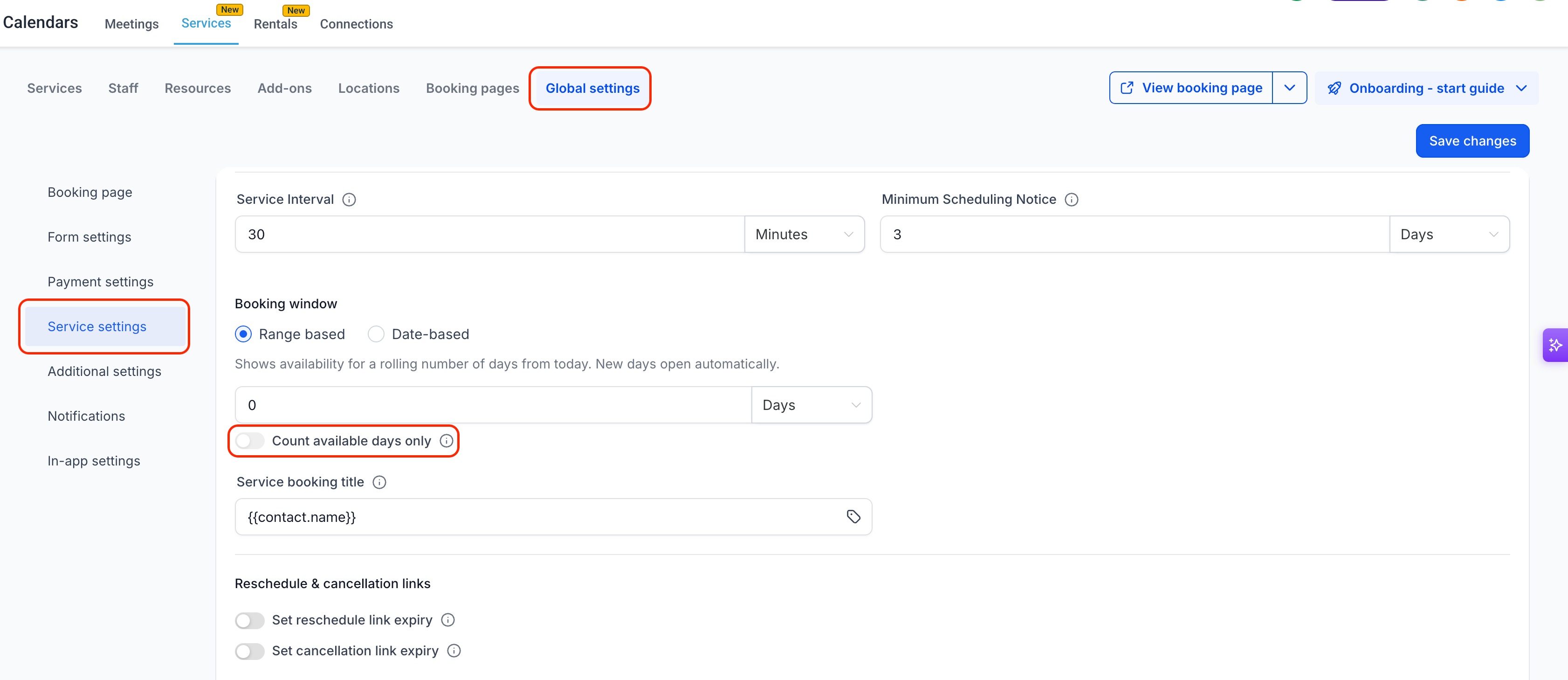
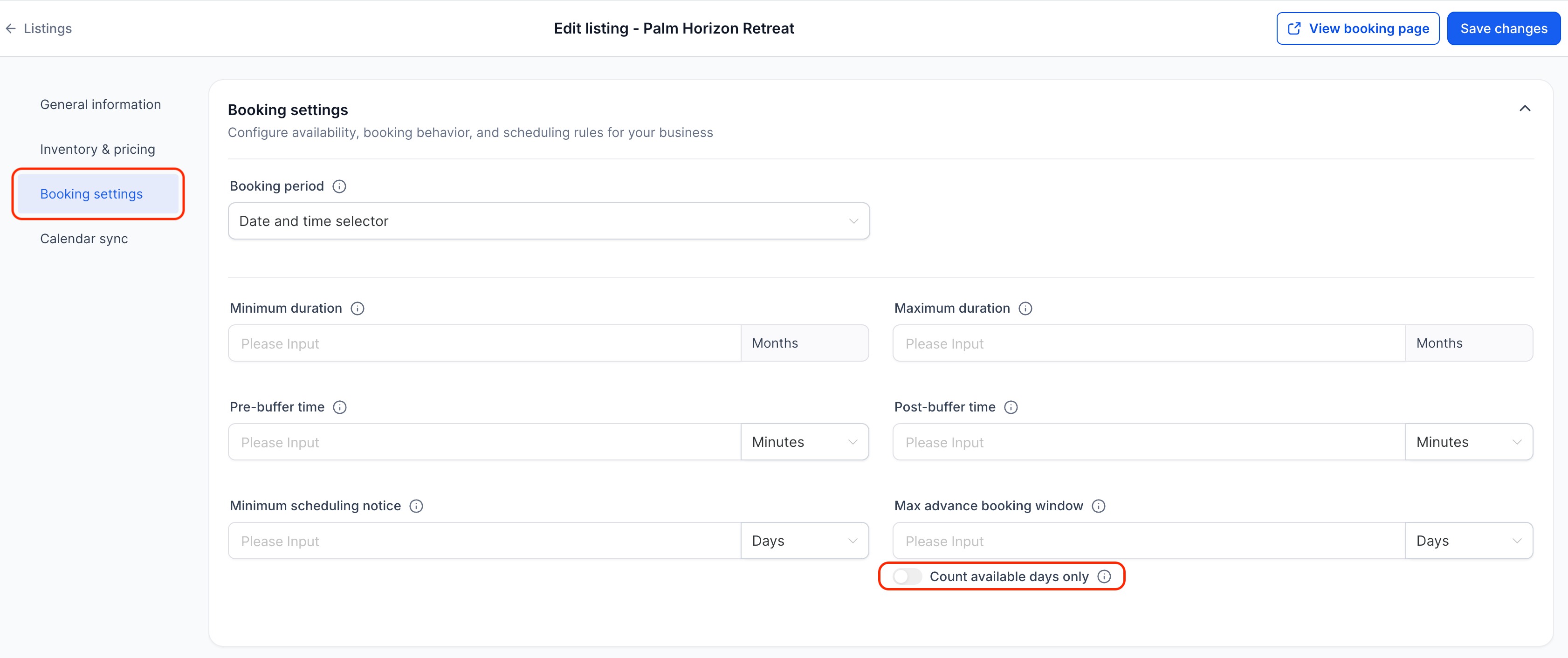
- A new toggle — Count available days only— now appears directly below the Date Range setting. When enabled, the system skips days outside your availability schedule when counting the date range. A business closed on weekends with a 2-day range no longer shows a blank calendar on Fridays — the window extends to Monday and Tuesday instead.
Smarter Interaction with Minimum Scheduling Notice
- When the toggle is on, the date range starts counting from the first available day after the minimum scheduling notice period ends. Bookers always see the full number of days configured — even when notice rules push the window forward.
Works Across All Calendar Types
- The toggle is available on Meeting Calendars, Services, and Rentals.
- Round robin and collective calendars are supported — a day counts as available if at least one assigned team member has availability on that day.
- Date-specific hour overrides are also respected: days added via date-specific hours count toward the window, and days blocked via date-specific hours are skipped.
How to Use It
- Go to Calendars → Calendar Settingsand clickediton the calendar you want to update.
- For Services, navigate toServices → Global Settings → Service Settings.
- For Rentals, edit alistingand go toBooking Settings.
- Find the Date rangesetting.
- Toggle on Count available days onlydirectly below the Date Range input.
- Save changes.
Why This Matters
- Businesses closed on weekends or operating on custom schedules (Mon/Wed/Fri, Tue/Thu, etc.) no longer see their booking window silently consumed by days they don't work.
- Bookers visiting on a Friday no longer see a blank calendar — they see the next actual working days available.
- The fix works for any schedule configuration, not just standard Mon–Fri businesses — making it genuinely useful for salons, clinics, field service teams, and any business with a non-standard week.
- Minimum scheduling notice and date range now work together predictably — notice clears the required lead time, and the date range fills in the correct number of working days after that.
- Reduces customer confusion and support tickets caused by booking widgets appearing empty when availability genuinely exists in the following week.
Was this article helpful?
That’s Great!
Thank you for your feedback
Sorry! We couldn't be helpful
Thank you for your feedback
Feedback sent
We appreciate your effort and will try to fix the article