Overview:
A quick recap — the White-Label Desktop App lets account owners build, brand, and ship their very own desktop application to their customers across macOS, Windows, and Linux.
But building the app was only half the story. The missing piece? Getting it into the hands of the people who actually use it — the account users.
That’s exactly what this release solves. Introducing the White-Label Desktop App Download Banner!
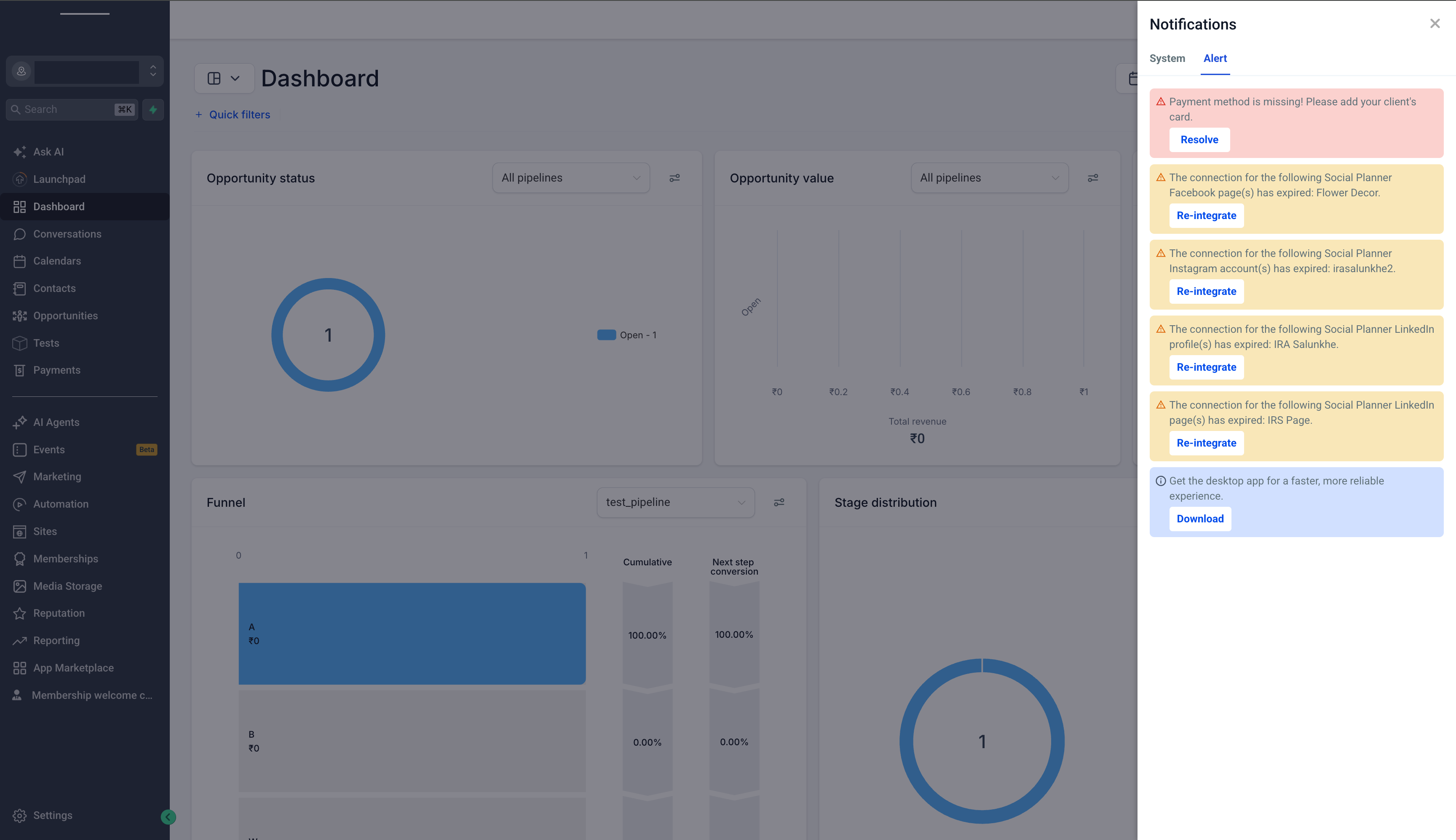
Once an account owner builds and publishes their White-Label Desktop App, they can now promote it straight to their accounts. A download banner appears inside the account, letting end users grab the account owner’s very own desktop app in a couple of clicks — no shared links, no manual hand-offs.
This closes the loop on the White-Label Desktop App journey: account owners build it, flip one toggle, and their users start downloading.
Account-Controlled Promotion
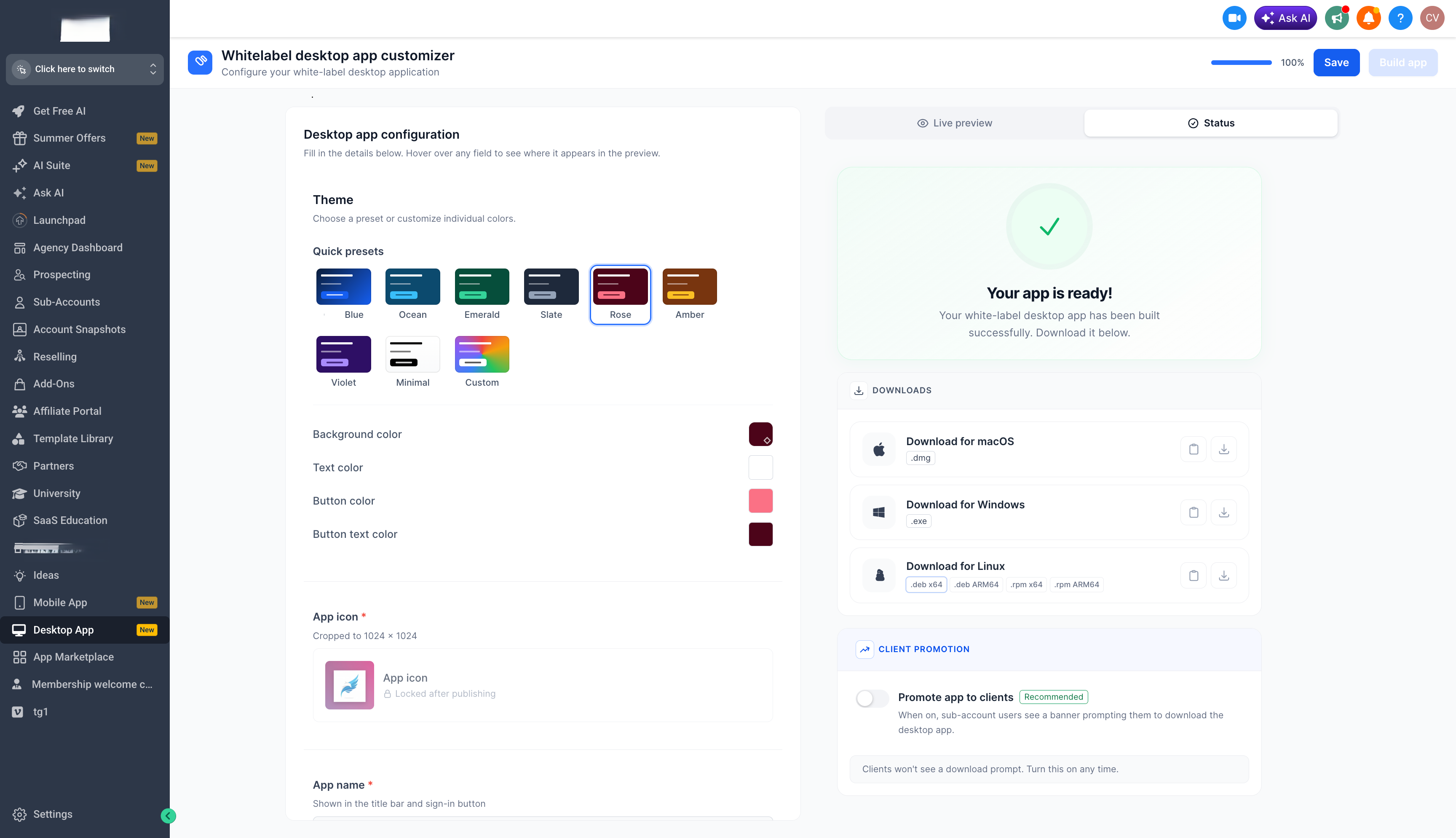
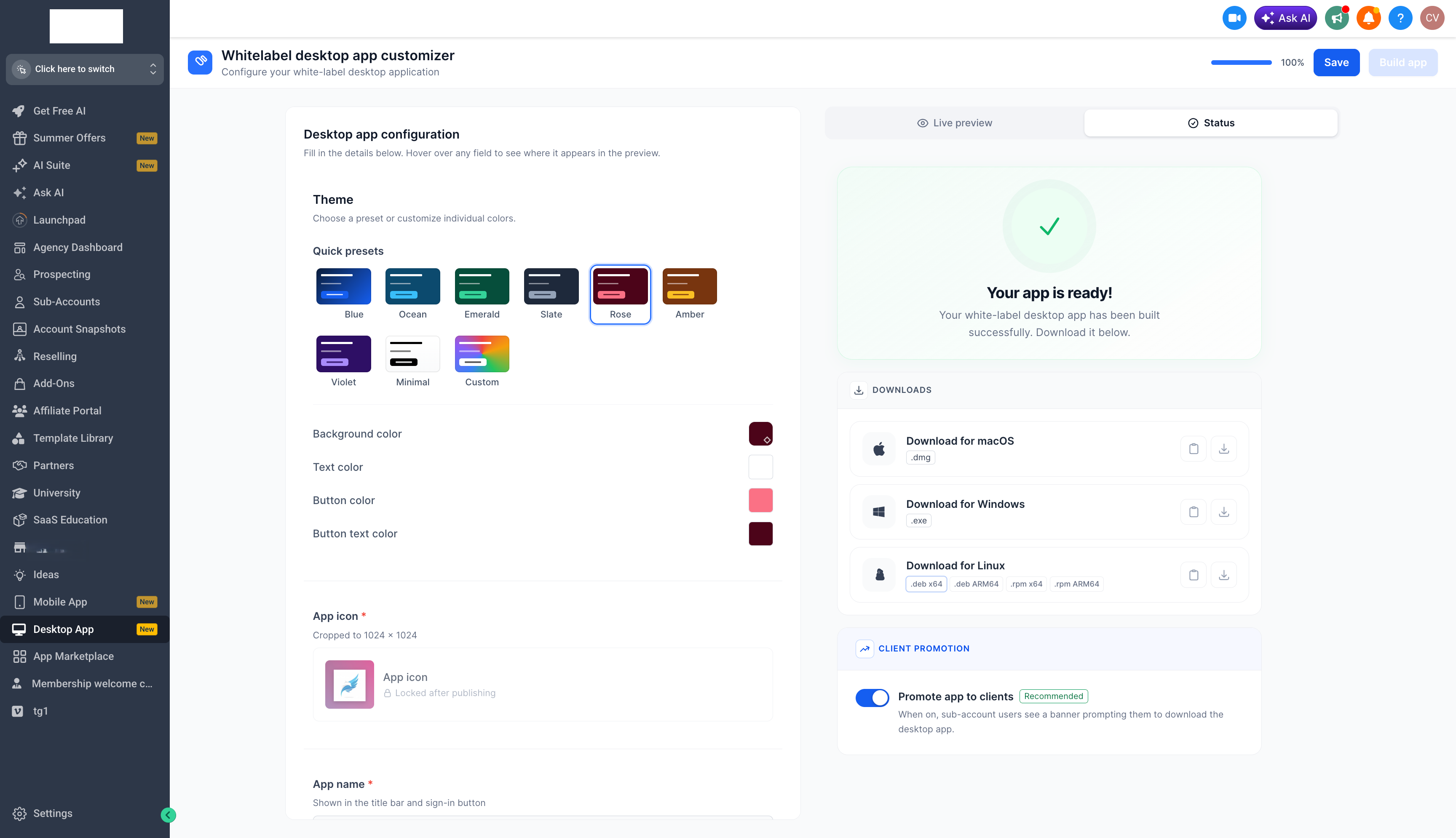
Account owners decide when their app gets promoted via a Promote toggle on the Desktop App Customizer.
The toggle only takes effect once the app is in a PUBLISHED state — so users are never pointed at an app that isn’t ready.
OS-Aware Download Experience
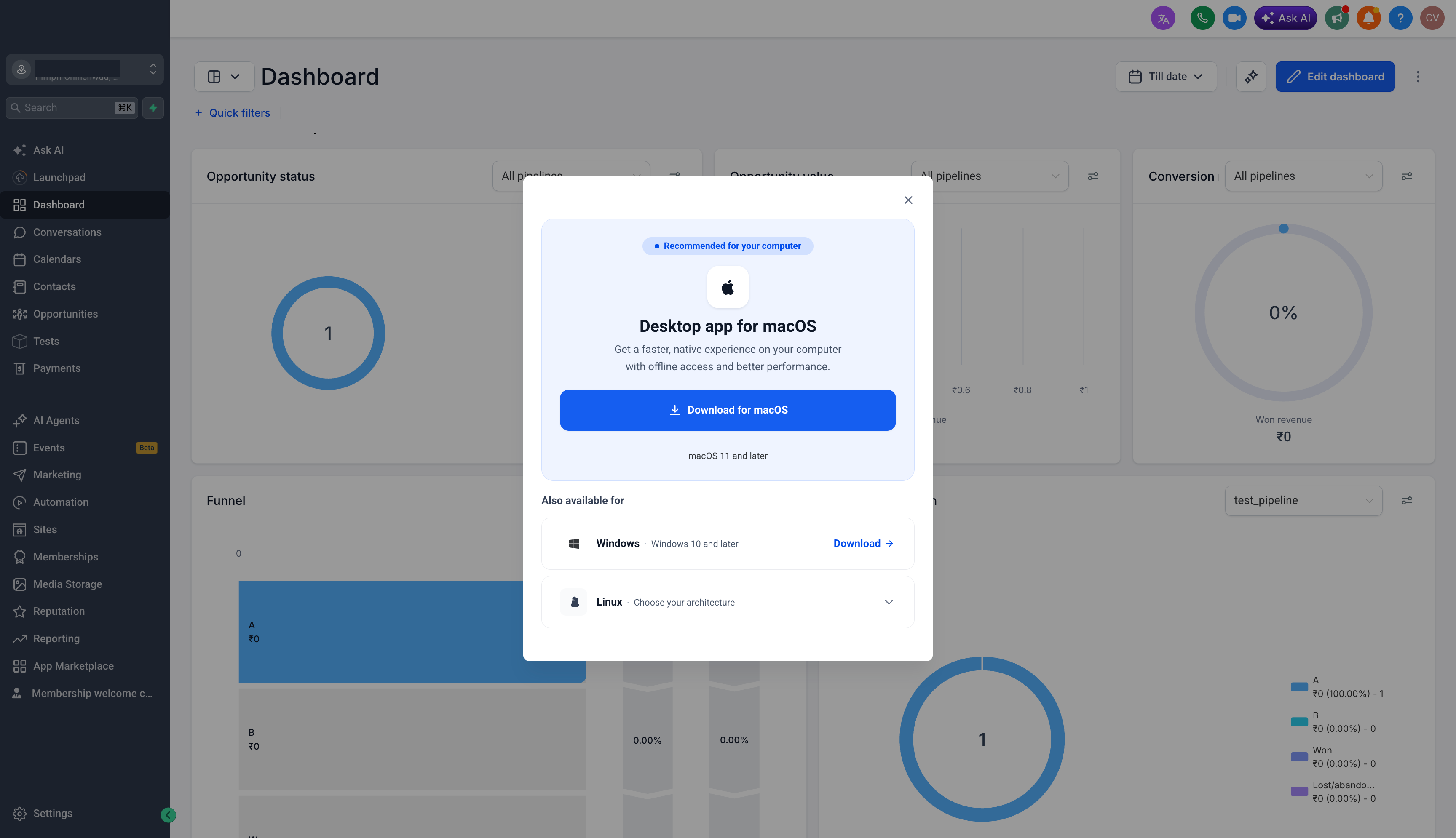
Here’s the part we love — when an end user opens the download banner, the hero section automatically reflects the operating system they’re currently on. A Mac user sees the macOS app front and center; a Windows user sees Windows; a Linux user sees Linux.
The remaining platforms are still available right below as secondary options, so nobody is ever boxed in:
macOS
Windows
Linux
All links are served live from the latest published build.
How to get started:
Navigate to the Account Dashboard
Open the Desktop App tab
Ensure your app is built and PUBLISHED
Flip the Promote toggle to ON
Your accounts will now see the download banner — and the download opens with their OS front and center
What’s next?
Multi-tab/Multi-window support
Listing in Mac AppStore and Microsoft Store
Improve App performance
Was this article helpful?
That’s Great!
Thank you for your feedback
Sorry! We couldn't be helpful
Thank you for your feedback
Feedback sent
We appreciate your effort and will try to fix the article